September 14, 2026
Print a Unique QR Code on Every Pack, Straight from Your Phone
The 2-in-1 feature, in pictures. Pair the handheld coder to the free TrueGTIN app over Bluetooth, choose a product and a batch, and print a different QR code and serial number on every pack. Five screens, start to finish.
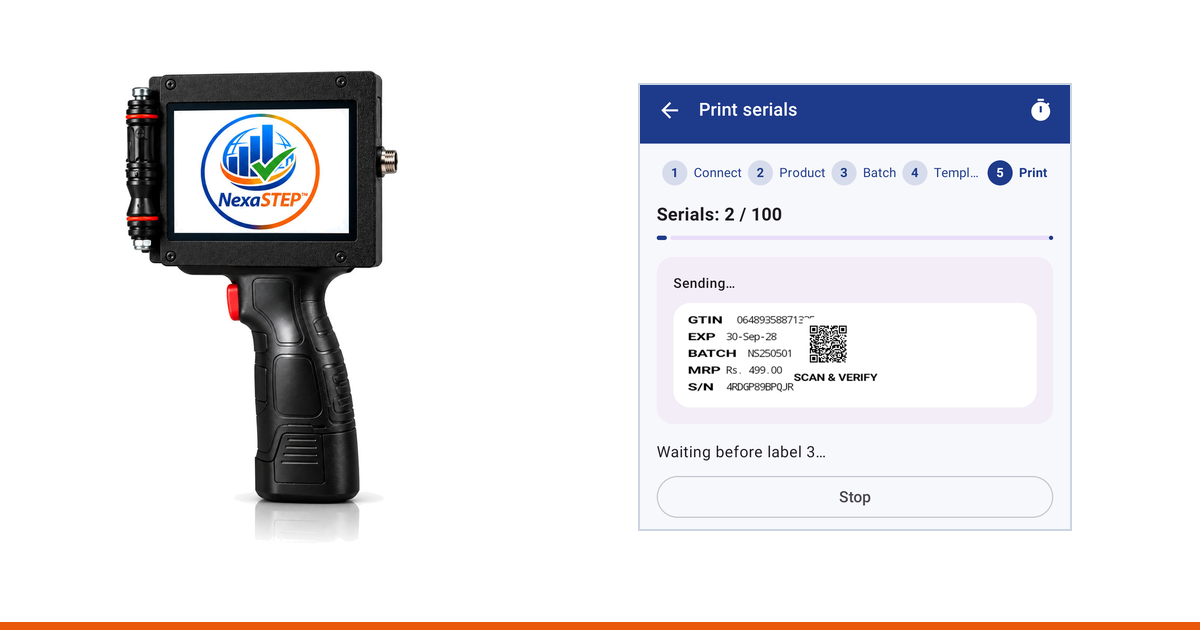
Batch coding puts the declaration the law requires onto the pack. The 2-in-1 feature adds the second half: a QR code and a serial number that are different on every single pack, so an individual unit can be checked later rather than just described. This guide is that second half, in five screens.
What you need
- A NexaSTEP handheld coder, charged and switched on
- An Android phone, 8.0 or later, with Bluetooth
- The free TrueGTIN app, and a batch of codes generated in your account
1. Get the app
Free, and included with the machine. Sign in with your NexaSTEP account — it is the same login.
2. Pair the machine over Bluetooth
Switch the machine on and it appears in the app. Tap it once. Give it a name and it moves to Saved printers, so tomorrow it is one tap rather than a search.

Example — the machines listed here are the app’s own demo devices, used so this guide could be captured without tying up a printer. Yours appears under its own name.
3. Choose the product
Your products, with the GTIN each one carries. One tap moves you on.

Example — demonstration products in a test account.
4. Choose the batch
The batch line tells you what you are about to print: the lot, how many codes it holds, and whether it is serialised. Serialised is the word that matters — it means every unit in the batch already has its own identity waiting for it.

Example — a batch of 100 serialised codes.
5. Choose the design
Pick how the mark is laid out — which fields appear, and where the code sits beside them. The layout lives on the machine rather than in the phone, so the first time you use a design you load it onto the printer once, using the file the app hands you from this screen. After that every run is Bluetooth and nothing else.

Example — two designs. The preview beside each one shows where the code lands.
6. Print
Draw the machine across the pack. The printer reports that the pack was actually printed, the counter moves on, and the next pack’s code is already loaded. Nothing is typed between packs, and nothing is printed twice.

Example — the serial number and the QR code are different on the next pack, and the one after that.
What changes pack to pack, and what does not
Fixed for the whole run: the product, the batch or lot number, the manufacturing and expiry dates, the MRP. Different on every pack: the serial number, and the QR code that resolves to it. That difference is the entire 2-in-1 feature.
What the buyer sees
Anyone holding the pack points a phone camera at the code and gets your record for that exact unit — product, batch, dates, price, and whether the code is one you issued. A copied pack cannot carry a code that was never issued, and a duplicated one shows up the moment two people scan it. There is a worked example of that screen on the home page.
Where to go next
If you are still choosing a machine, start with choosing a handheld batch coding printer, then what one costs to buy and to run. For what the pack is legally required to carry before you add a code to it, see MRP and expiry printing rules.
Every machine we sell does this
Unique QR codes and serialisation are included rather than sold on as an upgrade. Tell us what you pack and how much, and we will print a sample on your own pack first.
Frequently asked questions
- Which app is it, and does it cost anything?
- It is TrueGTIN, a free Android app on Google Play. There is no licence to buy and no per-print charge for connecting the machine to it: the app is included with the printer. What you pay for is the codes themselves, which are drawn from your account balance when you generate a batch, so a run of a thousand packs costs the same whether you print it from the app or export it.
- Do I need an internet connection to print?
- You need one to open the batch, because the codes live in your account and the phone fetches that batch when you select it. The printing itself runs over Bluetooth between the phone and the machine, so a weak signal on the packing floor does not stop a run that has already started.
- Do I have to type anything between packs?
- No, and that is the point of it. The app holds the whole batch and sends the next pack automatically once the machine reports that the previous one was actually printed. The operator draws the machine across the pack, picks up the next pack and draws again. The counter on screen tells you how many of the batch are done.
- What actually makes each code unique?
- Serialisation. When you generate a batch, every unit in it is issued its own serial number and its own code, registered to your account before anything is printed. The batch, the dates and the price are the same across the run, but the serial and the QR code change on every pack, which is what lets a specific pack be identified later rather than merely described.
- The machine prints the text but the QR code is blank. What is wrong?
- Almost always the machine is not holding the design that the app is sending values into. The layout lives on the printer, not in the phone, so the matching design has to be loaded onto the machine once before the first run. The app can hand you that file from the design step, and you copy it across by USB. Once it is on the machine, every later run is just Bluetooth.
- Can one phone drive more than one machine?
- Yes. Each machine you connect to can be saved with a name of your own, so a second or third unit on another line is one tap to reconnect rather than a fresh search every shift. The app remembers which machine you used last and offers it first.
- Which phones does it work on?
- Any Android phone running Android 8.0 or later, with Bluetooth. There is no iPhone version at present. The app asks for Bluetooth permission the first time you search for a machine, and on older Android versions it also asks for location, which is what Android requires before any app is allowed to scan for Bluetooth devices.
- What does my customer see when they scan the code?
- Your record for that exact pack: the product, the batch, the manufacturing and expiry dates, the price you declared and whether the code is one you issued. A code that was never issued returns nothing, which is the whole basis of checking a pack rather than trusting it.